

2016Daniel Solis
- Videos
- 2
- Creators
- 2
Reviews and how-to-play
2 - 5 players30 minLight weight

2018Daniel Solis
From BoardGameGeek
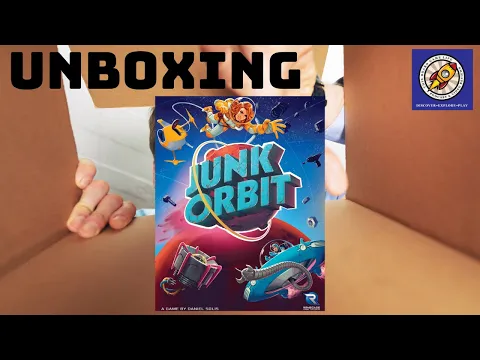
Space - the final junkyard. Good thing one planet's trash is another planet's treasure! In Junk Orbit, you're captain of your own scavenger ship, picking up space junk and transporting it to any city that will take it. Launch your junk ... uh, *cargo* ... out of your airlock to propel your ship! Race to deliver your cargo as you navigate the orbits of nearby planets and moons! It's astrodynamics for fun and profit! On your turn, carry out these three steps: 1. Launch junk - Choose any one junk tile in your cargo hold and move it away from your ship (clockwise or counter-clockwise, your choice) a number of spaces equal to its numeric value. If it reaches its destination city this way, you have made a remote delivery. Otherwise, it simply comes to rest after moving its full distance. It is also possible to hit an enemy ship with launched junk, causing that opponent to discard one junk tile from their cargo. 2. Move ship - Your ship must now move the same distance that your launched junk did, but in the opposite direction. When your ship reaches a transfer point between location boards, you may choose to switch orbits. If you do, your ship changes direction (from clockwise to counter-clockwise, or vice versa) as it enters the new orbit. If the space your ship lands on is the destination of any junk in your cargo, you have made a direct delivery. 3. Pick up junk - After moving your ship, pick up all junk tiles present in your current city, adding them to your cargo hold. Then, refill your current city with one new junk tile from the corresponding stack (e.g., if at a Mars city, refill from the Mars stack). Each player has their own ship with a unique ship power that breaks the rules above in some way. The end of the game is triggered when a city cannot be refilled because its stack is empty. When this happens, every player gets one final turn, then players tally the values from all of their delivered junk tiles, and whoever has the highest total wins.

2016Daniel Solis
2 - 5 players30 minLight weight
2020Daniel Solis
2 - 5 players30 minLight weight
From BoardGameGeek:
Space - the final junkyard. Good thing one planet's trash is another planet's treasure! In Junk Orbit, you're captain of your own scavenger ship, picking up space junk and transporting it to any city that will take it. Launch your junk ... uh, *cargo* ... out of your airlock to propel your ship! Race to deliver your cargo as you navigate the orbits of nearby planets and moons! It's astrodynamics for fun and profit! On your turn, carry out these three steps: 1. Launch junk - Choose any one junk tile in your cargo hold and move it away from your ship (clockwise or counter-clockwise, your choice) a number of spaces equal to its numeric value. If it reaches its destination city this way, you have made a remote delivery. Otherwise, it simply comes to rest after moving its full distance. It is also possible to hit an enemy ship with launched junk, causing that opponent to discard one junk tile from their cargo. 2. Move ship - Your ship must now move the same distance that your launched junk did, but in the opposite direction. When your ship reaches a transfer point between location boards, you may choose to switch orbits. If you do, your ship changes direction (from clockwise to counter-clockwise, or vice versa) as it enters the new orbit. If the space your ship lands on is the destination of any junk in your cargo, you have made a direct delivery. 3. Pick up junk - After moving your ship, pick up all junk tiles present in your current city, adding them to your cargo hold. Then, refill your current city with one new junk tile from the corresponding stack (e.g., if at a Mars city, refill from the Mars stack). Each player has their own ship with a unique ship power that breaks the rules above in some way. The end of the game is triggered when a city cannot be refilled because its stack is empty. When this happens, every player gets one final turn, then players tally the values from all of their delivered junk tiles, and whoever has the highest total wins.
Designer
Daniel Solis
Artist
Eric Hibbeler
Publisher
Renegade Game Studios
Categories
Mechanics